Panel layouts, in your browser
Type an address and place the panels. The layout, the bill of materials and an indicative price are ready. Nothing to install, no training day.
From address to quote in one sitting
Pick the customer and the address
Start from a customer already in Currently, or add a new one. Type the address and the roof comes up on screen.
Take the roof
The roof surfaces are already there, each with its own pitch and direction. You do not trace anything by hand.
Drop the panels
Pick a panel from your own catalogue and the roof fills with a grid. Turn it, shift it, and leave room around whatever is in the way.
Publish
The drawing, the bill of materials and the price land in the customer's project. From there it is a quote like any other.
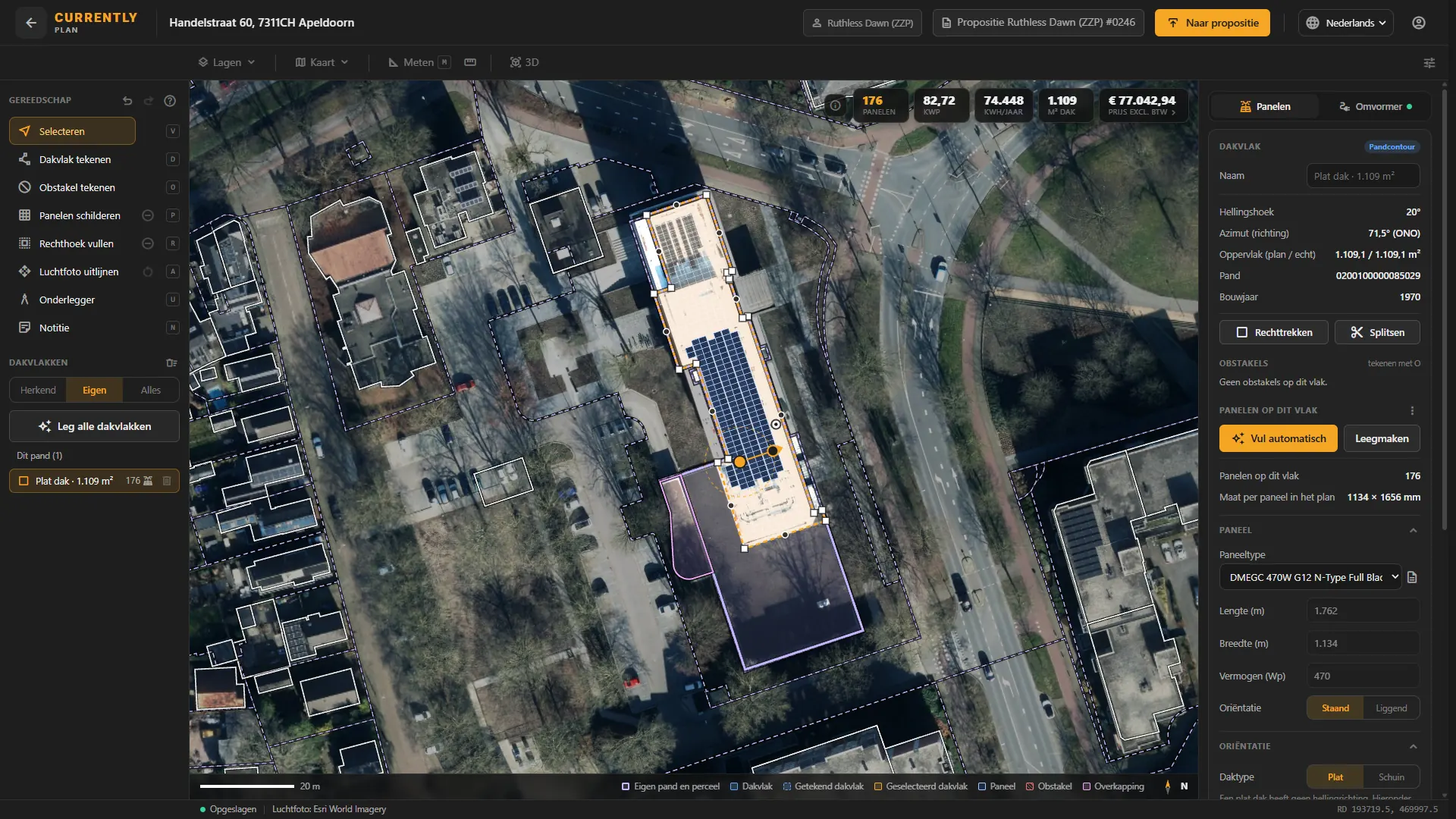
A drawing your customer understands, and a list your warehouse can order from
A layout drawing
A clean top-down drawing of the roof with the panels on it, with a north arrow and a scale bar. Goes straight into the quote.
A bill of materials
Panels, inverter and everything else, priced from your own catalogue and your own agreements.
A price you can say out loud
A number for the kitchen table. Labelled as indicative everywhere it appears, because that is what it is.
Plan or Studio?
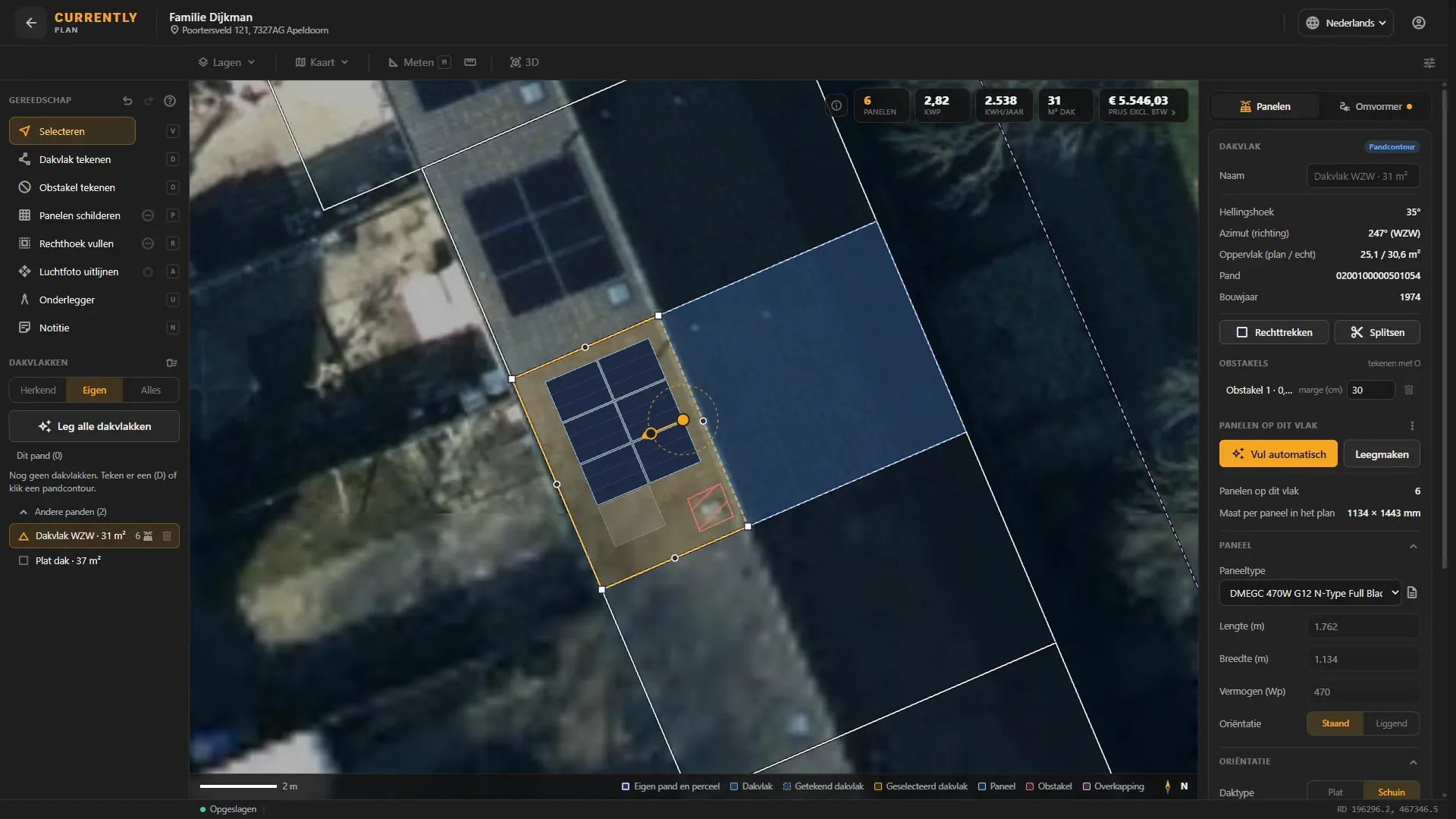
Both draw panel layouts and both land in the same project. The difference is what you work in: with Plan you draw straight onto the aerial photo, with Studio in a 3D model of the building and its surroundings. The first takes minutes, the second shows you more.
Currently Plan
Top-down, on the aerial photo. Made for the roofs you see every week: a house, a shed, a straightforward business unit. Minutes, not an afternoon.
Currently Studio
Everything in 3D, with the surroundings included. For large B2B projects, complicated sites and clients who want to see it before they sign.
About Currently StudioReady to draw your first layout?
Start your 14-day free trial. No credit card required, and the first roof is on screen the same day.