Run your installation business
Lead-to-Invoice
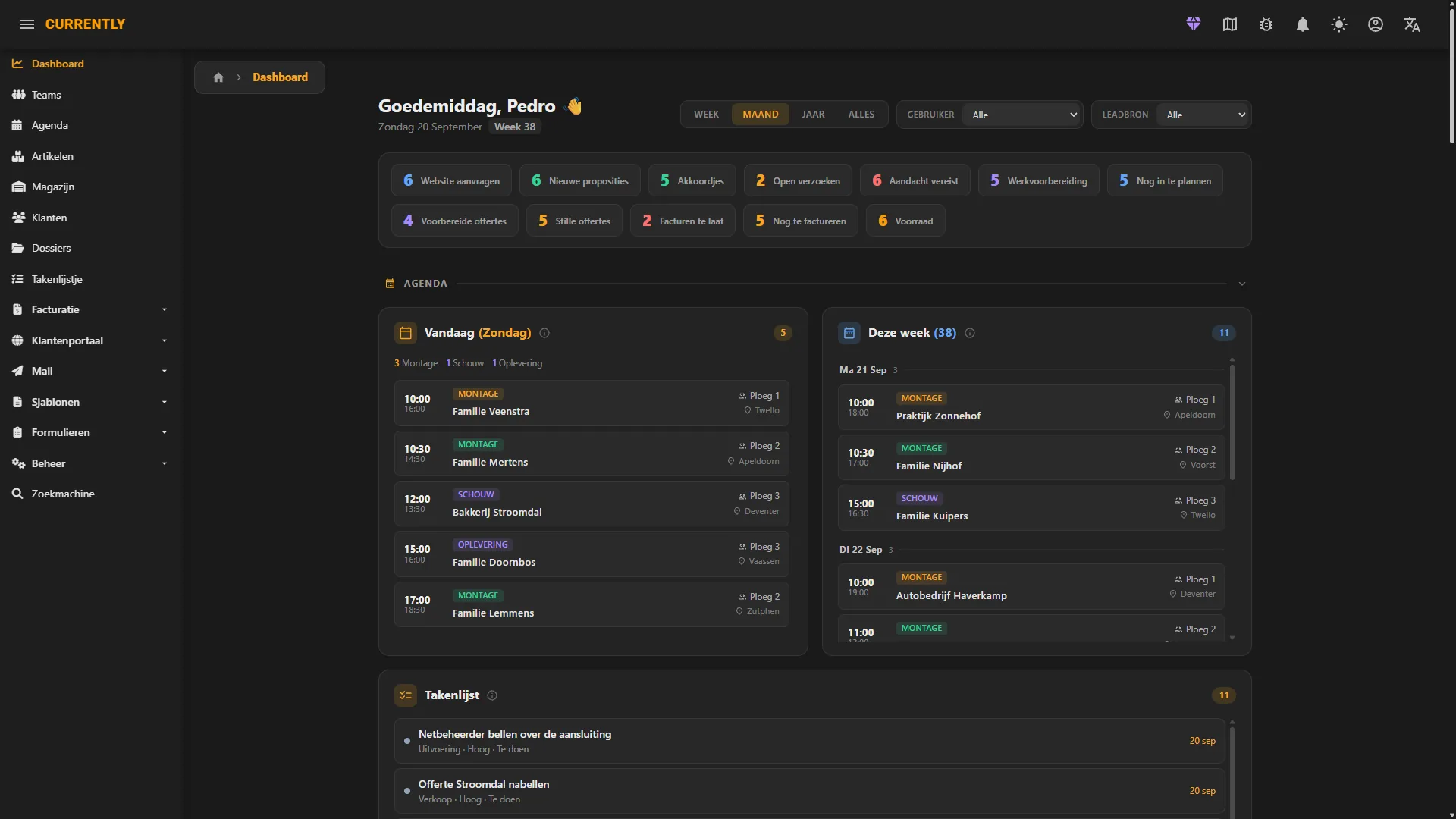
Currently is the all-in-one CRM & ERP for installers in the sustainable energy industry: customers, quotes, planning, field work, installation and invoicing in one connected flow. We call it Lead-to-Invoice or L2I. Whether you install solar panels, home batteries, EV chargers or heat pumps, one platform runs the whole job.
From first lead to final invoice
One connected flow, with no spreadsheets, separate design tools and email threads to juggle. We call this Lead-to-Invoice or L2I.
Lead & CRM
Capture leads and manage customers, contacts and projects in one place.
BOM & Quote
Assemble the bill of materials and turn it straight into a quote your client can sign.
Plan & Schedule
Schedule the installation and assign the right people to the job.
Field & Install
Technicians get the job on mobile: preparation, routes and on-site forms.
Invoice & Portal
Invoice, collect online payment and share a branded client portal.
One platform to run your installation business
Currently brings your whole operation together in one connected platform: CRM, quotes, planning, field work, installation and invoicing.
Read more arrow_forwardCRM & Planning
Customers, leads, projects and scheduling in one place, so every job has a single source of truth.
BOM & Quotes
Turn a bill of materials into a signable, branded quote in minutes.
Field & Mobile App
Technicians get their schedule, routes, work preparation and on-site forms on mobile.
Invoicing & Payments
Send invoices, collect payments online and see exactly what's been paid.
Client Portal & White-label
A branded client portal where customers follow their project, quotes and progress, on your logo, colours and domain.
Automations & Integrations
Mail automations, a custom sending domain, and integrations with accounting and payment tools.
One platform. Two ways to design.
Most jobs never need a 3D model. Some do. Take whichever fits the roof in front of you; everything after the design works the same either way.
Currently Plan
Type an address, drop the panels on the roof, and you have a layout with a bill of materials. It runs in the browser, so there is nothing to install. Built for the pace of residential work, where the job is won on how fast you get a number in front of the customer.
About Currently Planarrow_forward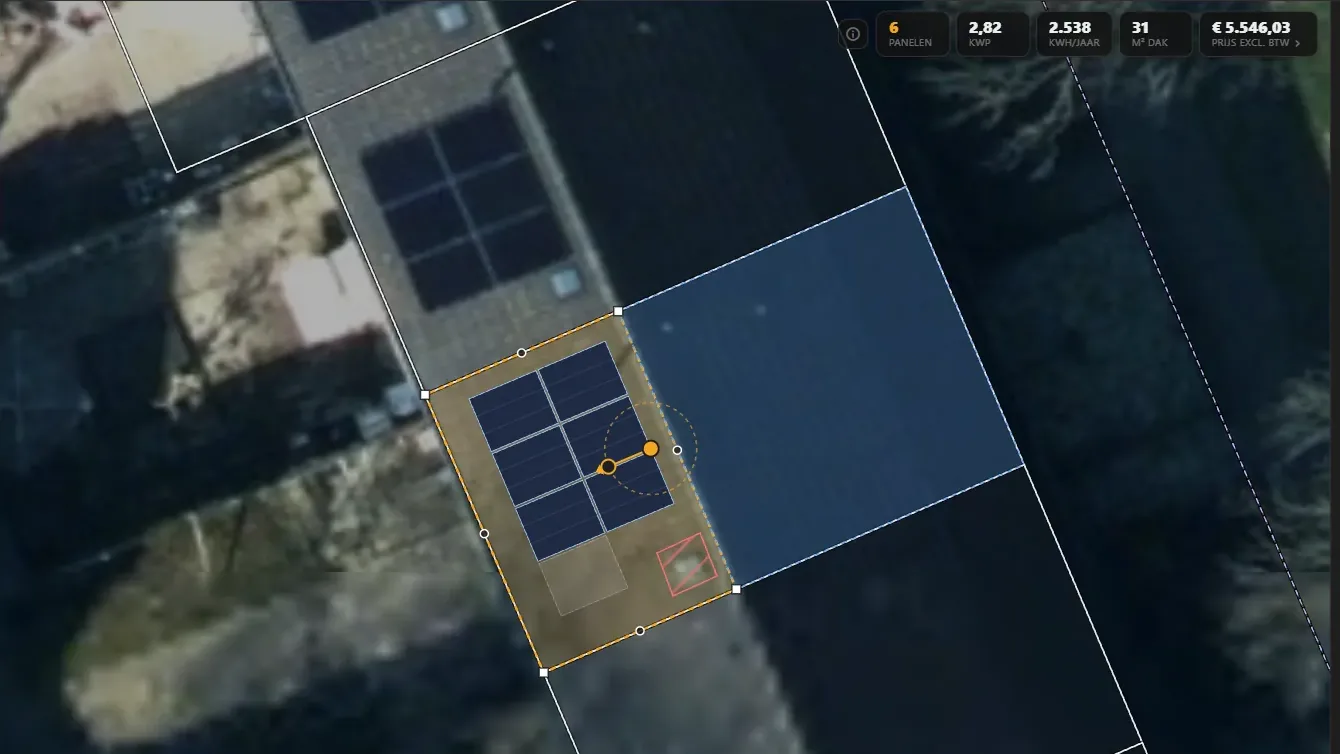
Currently Studio
The full 3D design application, for the jobs where that pays off: large B2B projects from commercial roofs to solar parks, complicated sites, a client who wants to see it before they sign. Installs on Windows through the Currently Launcher.
About Currently Studioarrow_forward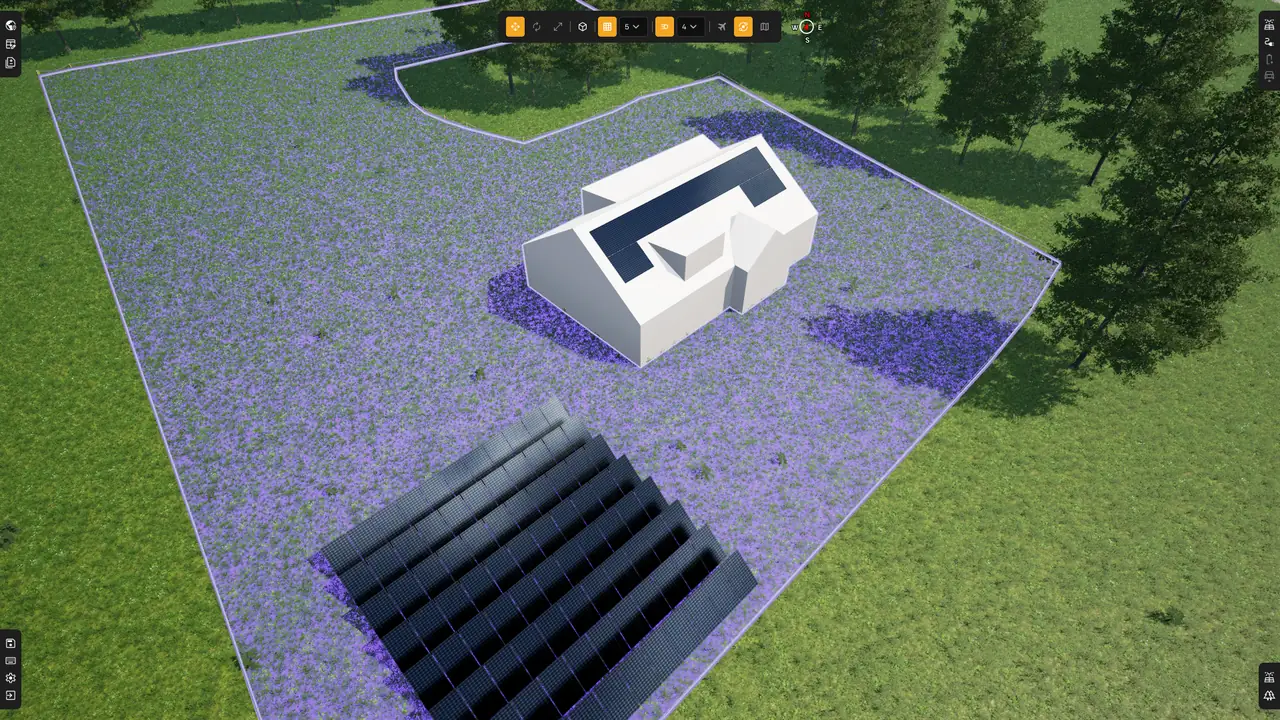
Both land in the same project. Your back office never knows which one you used.
A license for every role
Mix licence types to match your team, from the field to the back office.
Essential
€39 / user / moMobile-only access for the field, with no office tools and nothing to install.
- checkMobile web app
- checkSchedule, routes & travel time
- checkWork prep, photos & on-site forms
Professional
€89 / user / moFull access to the CRM: customers, quotes, planning and projects. Most teams start here.
- checkCustomers, BOM & quotes
- checkPlanning & scheduling
- checkClient portal
Ultimate
€129 / user / moEverything in Professional, plus invoicing, white-label and automations.
- checkInvoicing & online payments
- checkFull white-label & automations
- checkEvery future feature
Other tools start with a satellite image.
Currently starts with the building register.
Enter any address and Currently links official 3D building geometry, legal parcel boundaries and precise irradiance data to your design in about 15 seconds. Other solar design tools require you to trace the roof manually. Currently does not.
How it works arrow_forwardGetting started with Currently
From sign-up to your first quote, we guide you step by step.
Request access
Submit a sign-up request to create your account. We manually review requests to keep the platform focused on professional use.
Sign upApproval & account setup
Once approved, you'll receive an email with login access details. This usually takes up to one business day. Please keep an eye on your spam folder.
Open your dashboard
Log in to the dashboard, your back office right in the browser. Set up your company, team and article catalogue, and start your 14-day free trial. No payment details required.
Log inStart designing
Open Currently Plan in the browser and draw your first layout, with nothing to install. For large commercial jobs, add Currently Studio, the 3D design application for Windows.
Download StudioEquip your technicians
Your field team opens the mobile web app for their schedule, routes, work preparation and on-site forms. Nothing to install.
Run your back office
From lead and quote to planning, installation and invoicing, you manage every project end to end in one place.
Ready to run your installation business with Currently?
Start your 14-day free trial today. No credit card required. From customers and quotes to planning, field work and invoicing, all in one platform.